Krea2 prompt generator: build the prompt before you render it.
Build better Krea2 prompts with a practical prompting guide. Compare Krea2 styles and the Krea2 prompt enhancer, then test the brief with live Krea 2 Medium.
Krea2 prompting guide: turn one idea into a visual brief
Krea’s technical report says dense captions improve results, while its prompt expander is designed to enrich underspecified requests without replacing the original intent. These fields keep the invariant subject separate from flexible art direction.
What Krea 2 may contribute at the selected creativity level.
Krea2 styles: describe visible evidence, not just a label
Camera and composition
Replace “cinematic” with choices the image can show: low wide-angle frame, close crop, compressed perspective, direct flash, or controlled motion blur.
Material and process
Name the physical or digital finish: risograph dots, wax crayon, oxidized metal, coarse 35mm grain, airbrushed gradients, or clean studio acrylic.
Palette and light
State relationships instead of color lists: muted cyan shadows against warm tungsten highlights, two-ink red and navy, or one hard fluorescent strip after rain.
Reference-led style
When a look is easier to show than describe, move to the Krea2 img2img route and let a reference image carry palette, texture, lighting, and visual medium.
Krea2 prompt enhancer: when expansion helps
Krea 2 prompt expansion is useful when the idea is clear but the visual brief is underspecified. Medium is the practical baseline: it can add composition, palette, and surface detail without asking you to write a wall of adjectives. High leaves more room for aesthetic interpretation. Low stays closer to the original wording.
Turn expansion off with Raw when exact placement, required objects, short on-image text, or a deliberately minimal phrase must not be reinterpreted. Treat the enhancer as a controlled variable: compare Raw and Medium with the same seed and aspect ratio before deciding which version actually improved the result.
Three prompt patterns, three different jobs
Official Krea 2 example · source linked below
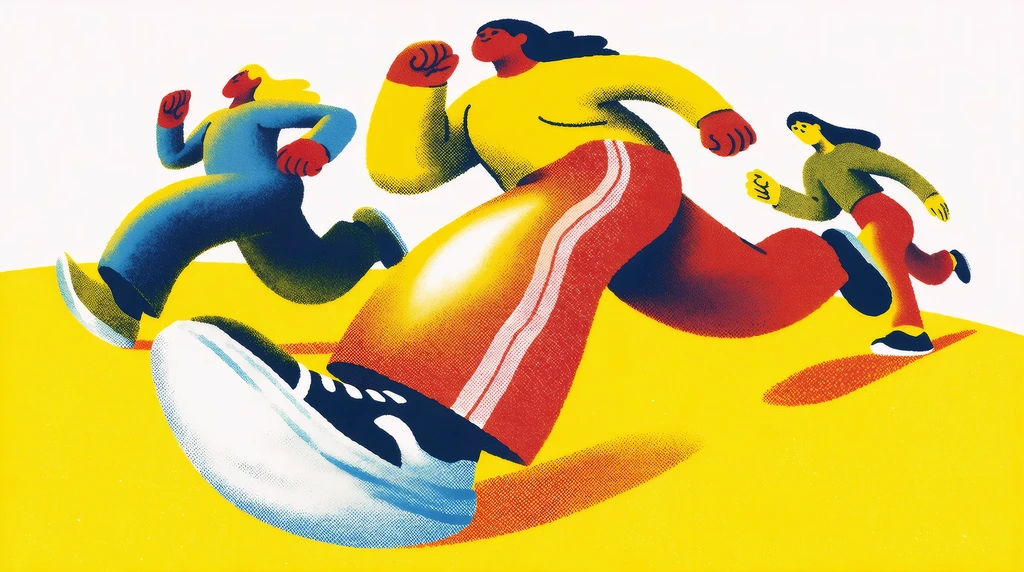
Short subject, explicit composition
This official example names the action, lens behavior, shapes, medium, and composition without padding the prompt with generic quality terms.
People running. Extremely exaggerated wide camera angle, exaggerated shapes. Risograph poster. Graphic illustration. Dynamic composition.
Official Krea 2 example · source linked below
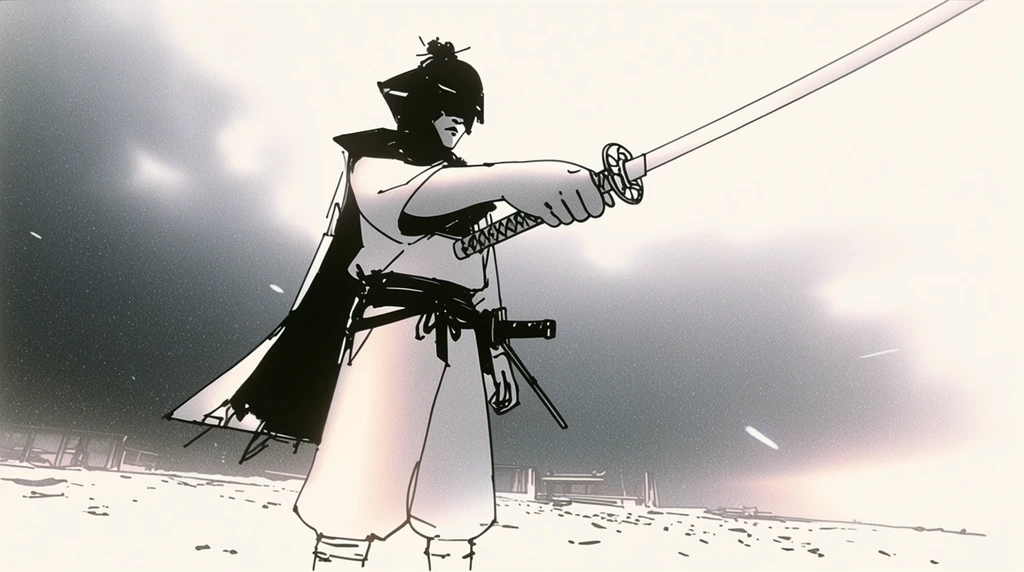
Action and viewpoint first
The pose and camera placement do most of the work. The prompt does not need a long style-name chain.
Samurai drawing his blade, dramatic action shot, wide angle lens.
Official Krea 2 example · source linked below
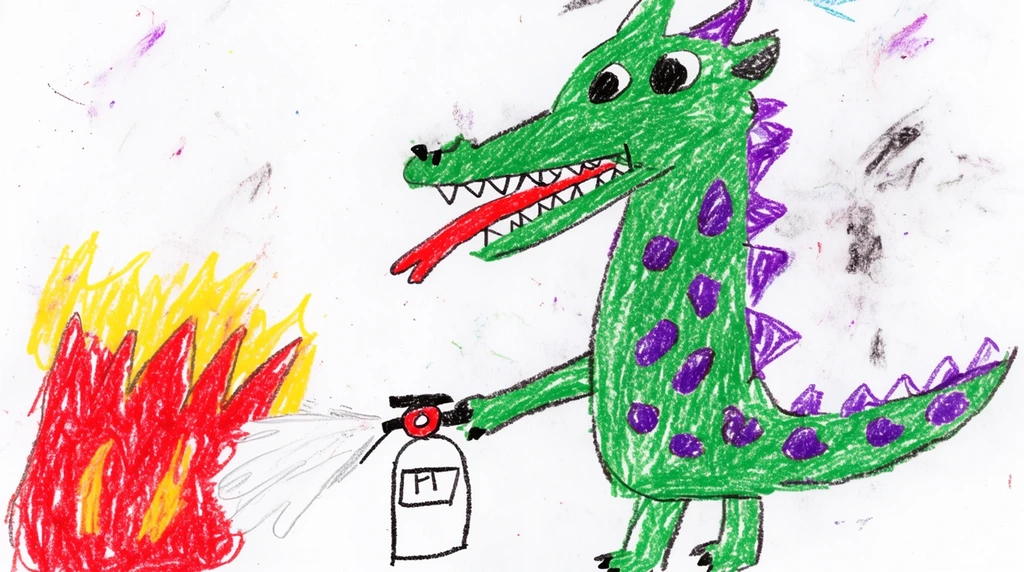
Medium and material carry the joke
The subject is intentionally simple; the concrete medium phrase tells Krea 2 what kind of mark-making should appear.
Childish crayon drawing, a dragon spraying a fire extinguisher at some fire.
Test the assembled brief
The prompt is sent into the real Krea 2 route below. Change one field at a time if you want the comparison to teach you anything.
342 / 5000
Describe the subject, composition, light, texture, and emotional tone.
Choose modelText to image · settings update automatically
Only live routes are selectable. Your prompt stays in place when you switch.
A reliable structure is subject and action first, followed by framing, light, material or texture, palette, and finish. Put requirements before optional style language.
How long should a Krea 2 prompt be?+
Long enough to resolve the important visual decisions, but not padded. A short precise prompt can leave useful room for Krea 2 creativity; a longer prompt is appropriate when layout or continuity must stay constrained.
Which creativity setting should I start with?+
Start balanced for most work. Use focused when the model adds too much, and creative when you want it to contribute more aesthetic and compositional choices.
Are Krea2 styles just prompt keywords?+
No. A prompt can describe style, but Krea 2 also supports image style references, moodboards, and provider-side style controls. These are stronger signals than adding a style name without visual detail.
Does Krea2 have a prompt enhancer?+
Yes. Krea 2 can expand an underspecified request before generation. Use Raw when every phrase is deliberate, Low for small additions, Medium for a balanced default, and High when the model should contribute more composition, palette, mood, and style.
What is the Krea2 system prompt?+
Krea has not published one reusable system prompt that replaces good visual direction. Its documented prompt-expansion system enriches short requests while trying to preserve intent. For repeatable results, keep the subject and required action explicit, then separate camera, light, material, palette, and finish.
Is this only a Krea2 prompting guide?+
No. The generator is live on the page, so you can test the structures, compare creativity levels, and save the wording that produced the useful result.